How to Make X Show Only Your Following Feed
X keeps snapping back to the For You tab. Here's how to get a Following-only feed on X that stays that way on an iPhone, plus how to hide trends and ads.
X already has the feed you want. It's right there, one tab across from the one you get. Following shows posts from accounts you chose to follow, in order, with no algorithmic recommendations. Then you close the app, reopen it, and you're back in For You.
Why the Following tab won't stay put
For You is where X puts recommended posts, promoted posts, and accounts you don't follow. It's the surface the business depends on, so it's the one the app opens to. Tab persistence on X's iOS app has changed several times over the years and has never been a documented, reliable setting you can rely on.
So you pay a small tax every session. Notice you're in the wrong feed, swipe across, start again. Most people stop bothering after a while. That's rather the point.
Getting a Following feed that stays
Unspiral opens X's mobile site and enforces the Following feed on your device every time the page loads. Of the five sites Unspiral supports, X has the most opinionated defaults. All four of its controls ship on:
- Following only. The timeline is your follows, not recommendations.
- Hide trends and suggestions. No Trending sidebar, no Who to follow.
- Hide ad posts. Promoted posts are removed from the timeline.
- Count posts seen. A running count of how many posts you've scrolled past today, which resets at midnight.
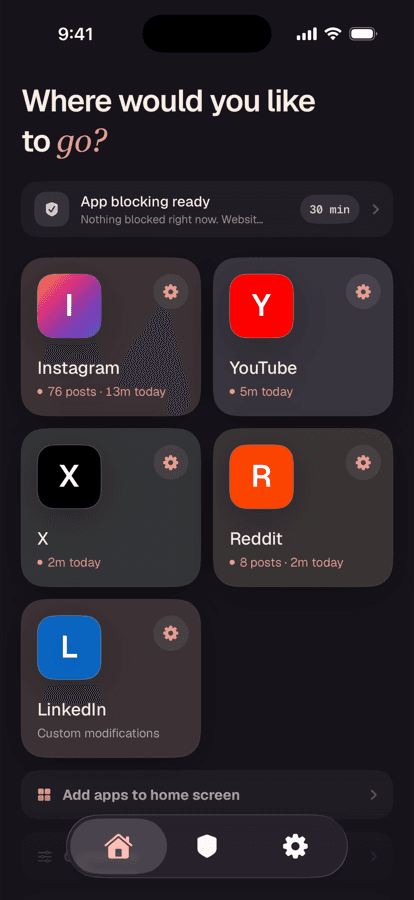
Open X from the Home tab
Tap X in Unspiral and sign in on X's own web page if you want your timeline. Unspiral doesn't receive your X credentials.
Check the controls under Settings
Open Settings → Website Controls → X. You should see 4 of 4 modifications on. Turn any of them off if you want some of X's recommendations back. The defaults are a starting point, not a lock.
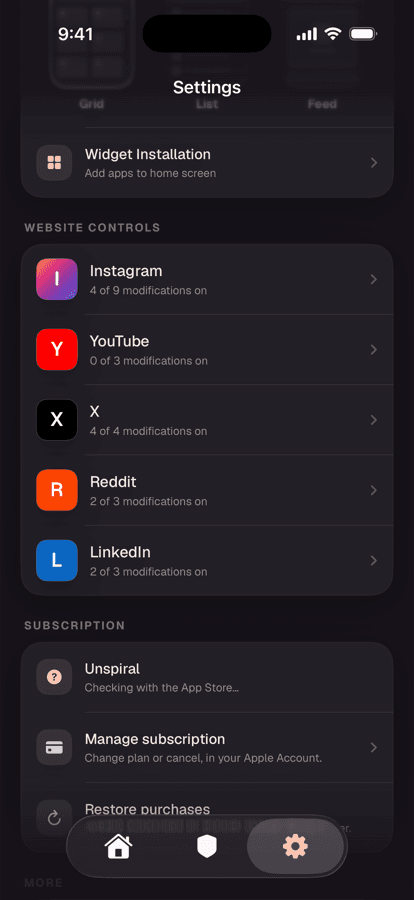
X ships with every control enabled. Instagram and YouTube ship far more conservatively.
The alternatives, honestly
Just swiping to Following each time
Free and immediate. It also does nothing about promoted posts, Trending, or Who to follow, which all live inside the Following tab anyway. And you'll do it every single session.
Lists as a replacement timeline
A pinned X List gives you a chronological, recommendation-free timeline of accounts you choose, and lists do generally stay where you put them. This is a genuinely good option and costs nothing. The catch is curation: you're maintaining the list by hand, and it's separate from your actual follows, so new follows don't appear until you add them.
Screen Time limits
Settings → Screen Time → App Limits caps how long you spend in X. Useful as a boundary, but it treats the app as one thing. It can't give you the Following feed while withholding For You.
What you give up
X's mobile website covers posting, replies, DMs, search, profiles, and notifications, but it's not the native app. Some newer features arrive in the app first, and a few media and creator workflows are app-only. Keeping the native X app installed for those, while doing everyday reading through the website, is a perfectly reasonable split.
Frequently asked questions
Can you make Following the default feed on X?
X doesn't offer a dependable setting for this on iOS. The app returns to the For You tab when relaunched, and tab persistence has changed repeatedly over the years. Enforcing a Following-only timeline requires opening X through an app that applies the rule on every page load, such as Unspiral, or replacing your timeline with a pinned List.
How do I hide Trending and Who to follow on X?
X provides no setting to remove them. In Unspiral, the Hide trends and suggestions control removes both, and it's on by default.
Does a Following-only feed remove ads on X?
No. Promoted posts appear in the Following timeline as well as For You. Removing them is a separate control. In Unspiral it's Hide ad posts, also on by default.
Is a pinned List better than a Following feed?
A List gives you a chronological, recommendation-free timeline and it stays selected, which makes it a strong free option. The trade is that you curate it manually and it doesn't track your follows, so accounts you follow later won't appear until you add them to the list.