How to Block YouTube Shorts on iPhone
YouTube only lets you hide the Shorts shelf for 30 days at a time. Here's how to block YouTube Shorts on an iPhone for good, and what each method actually removes.
YouTube is genuinely useful. You go there to learn how to fix a dishwasher, follow a channel you like, or watch something long. Shorts is a different product wearing the same app, and it sits directly in your path: a tab in the bottom bar, a shelf halfway down your home feed.
What YouTube's own setting actually does
On the home feed you can tap the ⋮ next to the Shorts shelf and choose to hide it. This is real and it works, but read the fine print. It hides the shelf for 30 days, then it comes back. So you'll be redoing this about twelve times a year, forever.
It also does nothing about the Shorts tab sitting in the bottom bar, or Shorts appearing in search results and on channel pages. There's no permanent "disable Shorts" setting in YouTube at the time of writing.
One adjacent trick that does help: pausing Watch history (under You → Your data in YouTube) strips most personalized recommendations, which quiets the home feed considerably. It also removes the recommendations you actually wanted, so it's a real trade rather than a free win.
Four ways to get YouTube without Shorts
| Method | Removes Shorts tab? | Permanent? | Keeps normal videos? |
|---|---|---|---|
| Browser-based app (e.g. Unspiral) | Yes | Yes | Yes |
| YouTube's hide-shelf option | No | No (30 days) | Yes |
| Screen Time app limit | Blocks all of YouTube | Yes | No |
| Safari + content blocker | Partly | Until markup changes | Yes |
Method 1: open YouTube in an app that hides Shorts
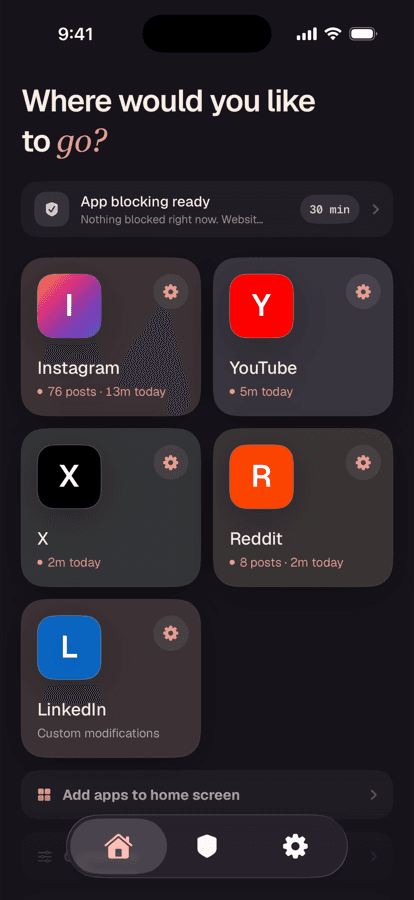
Unspiral opens YouTube's mobile site and applies display rules on your device before the page reaches you. Shorts hiding is always on, with no switch to forget, and it covers the Shorts tab, the Shorts shelf on home, and Shorts in search results.
Open YouTube from the Home tab
Tap YouTube in Unspiral. You sign in on YouTube's own page if you want your subscriptions; Unspiral doesn't receive your Google credentials.
Search and watch with no Shorts anywhere
Results are full-length videos only. The bottom bar is Home and You. The Shorts tab is gone rather than merely scrolled past. Ad blocking is on by default too.
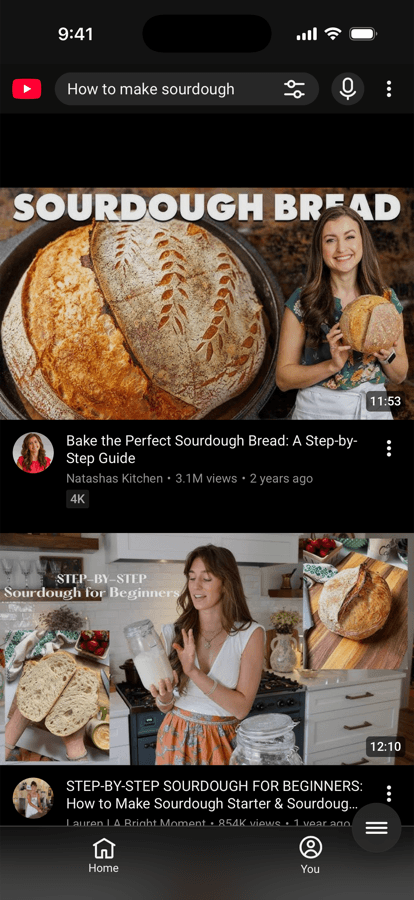
A normal search, with no Shorts shelf interrupting it and no Shorts tab to fall into. Go further if you want to
Open Settings → Website Controls → YouTube for three more switches: Hide recommended videos, Hide comments, and Background play. All three ship off, so YouTube stays recognizable until you decide otherwise.
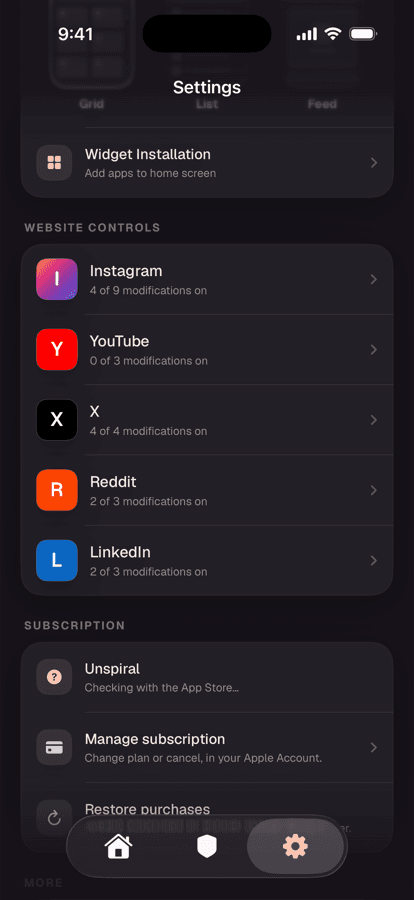
Each site tracks how many of its modifications are on.
Method 2: block YouTube on a schedule with Screen Time
Go to Settings → Screen Time → App Limits and add a limit for YouTube, or use Downtime to make it unavailable during set hours. This is a good tool for the evenings-only problem, and it's built into iOS at no cost.
Same limitation as everywhere else on this page. It's a switch for all of YouTube. It can't tell the difference between a two-hour Shorts session and a repair tutorial you need right now.
Method 3: Safari plus a content blocker
Open m.youtube.com in Safari with a content-blocker extension and you can hide Shorts elements by CSS rule. Free, and it works well enough while the rules hold.
YouTube changes its mobile markup regularly, so expect the rules to lapse and Shorts to reappear. It's also worth knowing that the mobile site limits background playback and picture-in-picture compared with the native app.
What you give up
YouTube's mobile website is close to the native app for search, subscriptions, comments, and watching, but it's not identical. Downloads for offline viewing are a native-app feature, and some Premium behaviours differ. If you rely on those, a reasonable setup is to keep the native app for the few things it uniquely does and use the website for the everyday browsing where Shorts does the damage.
The same approach works on Instagram. See how to use Instagram without Reels.
Frequently asked questions
Can you permanently disable YouTube Shorts?
Not from inside YouTube. YouTube lets you hide the Shorts shelf on the home feed for 30 days at a time, after which it returns, and it never removes the Shorts tab from the bottom bar. Permanently removing Shorts on an iPhone requires opening YouTube through an app that hides them, such as Unspiral, or a Safari content blocker.
How do I get rid of the Shorts tab on iPhone?
YouTube provides no setting to remove the Shorts tab. Opening YouTube's mobile site inside Unspiral replaces the tab bar with Home and You only, so there's no Shorts tab to tap.
Does pausing watch history stop Shorts?
No. Pausing watch history reduces personalized recommendations, which makes the home feed much quieter, but Shorts still appear in the tab bar, in search results, and on channel pages.
Does YouTube Premium remove Shorts?
No. YouTube Premium removes ads and adds background play and downloads. Shorts remain in the app exactly as they're on the free tier.
Is blocking Shorts against YouTube's terms?
Hiding Shorts changes only what your own device displays and leaves the native YouTube app untouched. It doesn't modify anything on YouTube's servers. This is different from modified YouTube clients, which repackage the app itself and do carry account risk.